How do you keep track of offcuts in a small workshop?
Updated
Keeping track of offcuts means recording each reusable piece left after cutting, with its material, measured length and where it is stored, so it can be found and used before new stock is cut. OffcutBench does this free in your browser for one rack of straight lengths: record each piece, label it and search the list when the next job comes in.
Free to use. No account, email address or trial. Works offline once prepared.
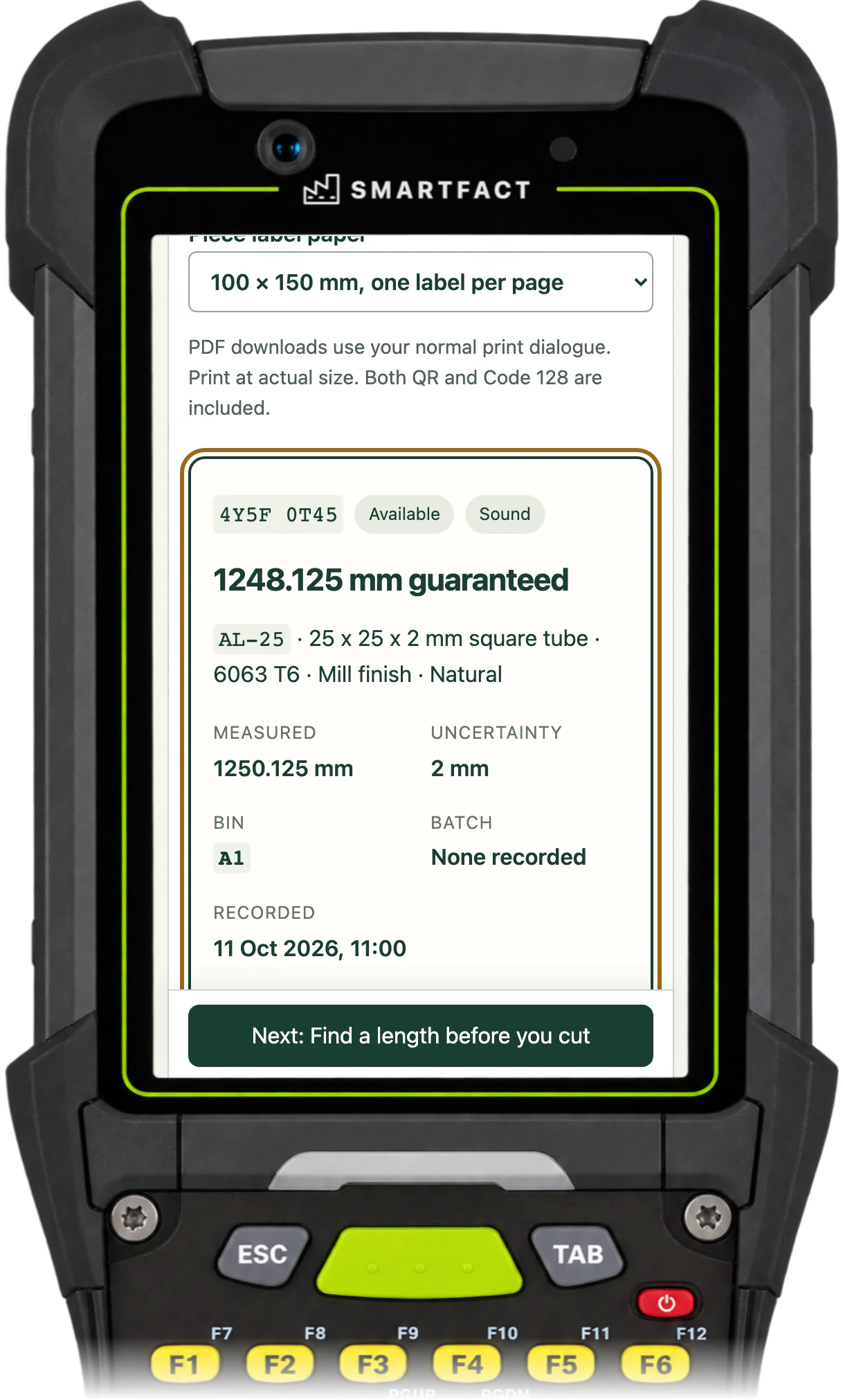
One offcut recorded with its guaranteed length, on a phone, handheld or scan station.
What should an offcut record include?
The material, the measured length, how far that measurement could be out, the piece's condition and the bin it goes back to. OffcutBench takes the uncertainty off the measured length and searches with what is left, the guaranteed length. A batch or reference is optional. Each piece gets its own identifier, so two identical offcuts are never confused.
How do you set up the rack?
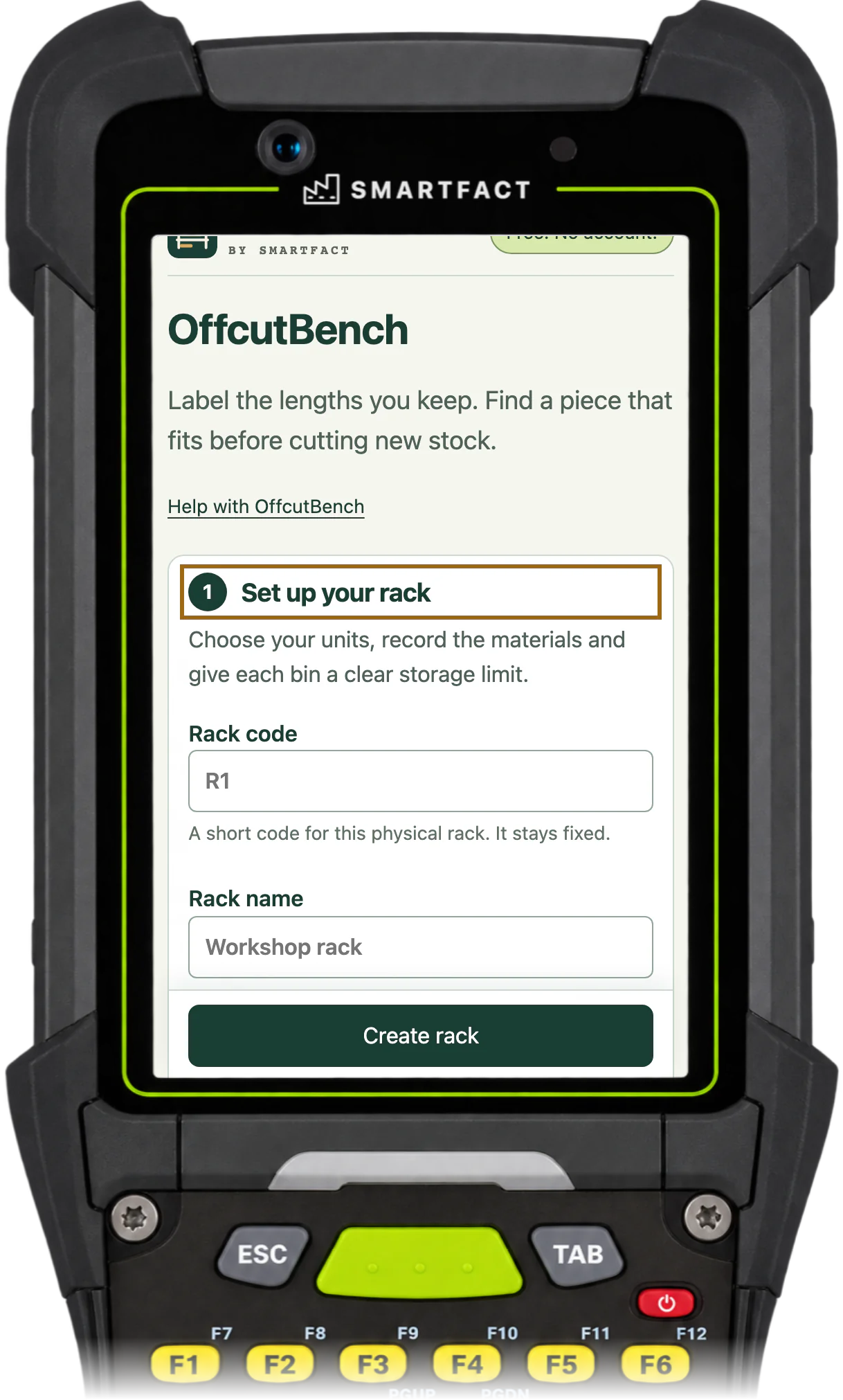
Give the rack a code and a name, choose millimetres or inches and enter your usual measuring uncertainty. Add each material with its exact code, profile, grade, finish, colour and family, and give each bin a maximum length and the material families it takes. Materials and bins can be imported from CSV: the rows are previewed first, and one invalid row stops the whole import.
Starting a rack: a fixed code and a name, then the unit and usual uncertainty.
What happens when a piece is used?
Open the piece from a search or by scanning its label, and record what happened: used whole, with an optional job reference; a cut, with the remainder remeasured and given its own label; or scrap, with a reason. A used piece leaves the available list, and its history stays.
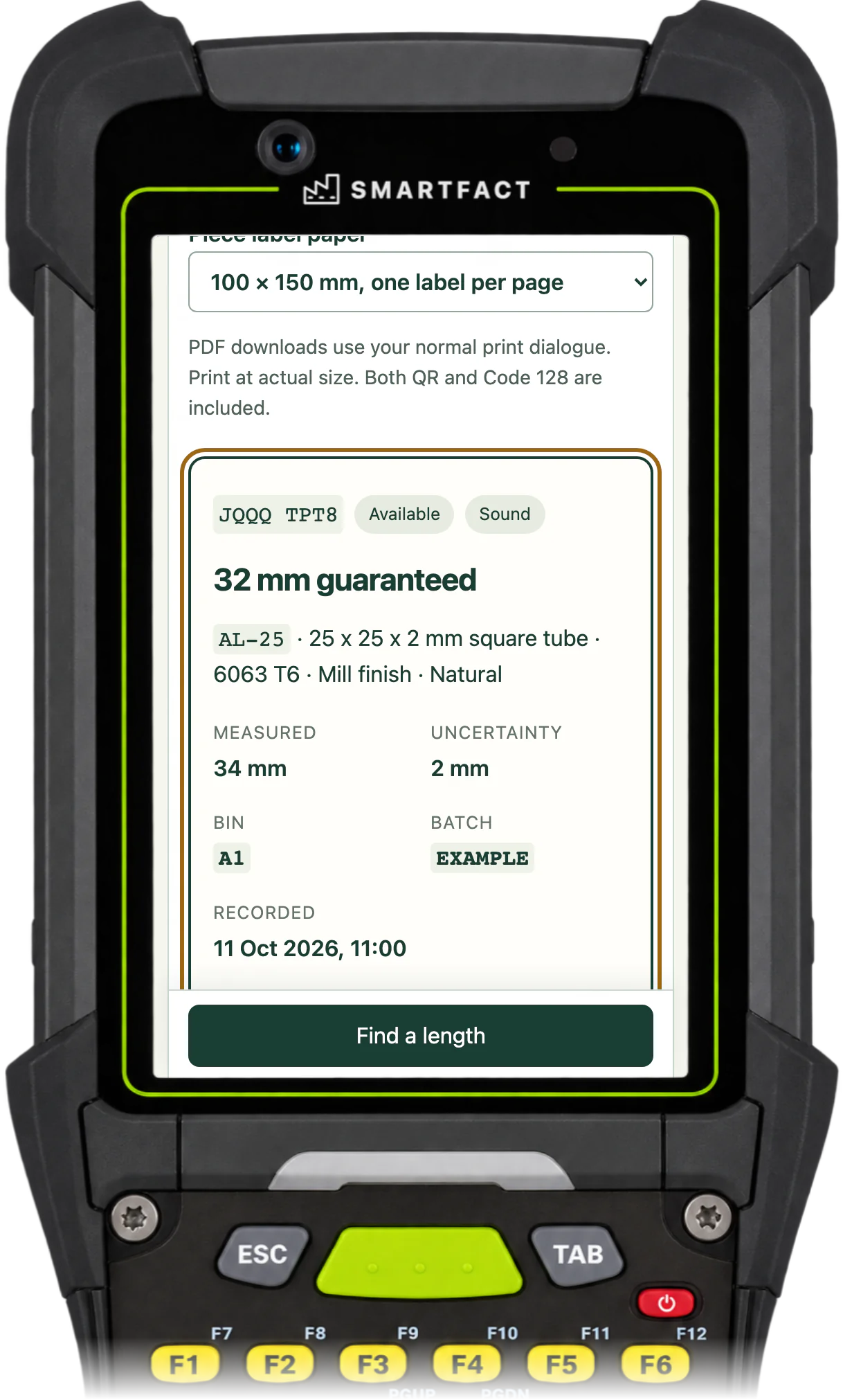
After a cut, the remainder is a new piece with its own label.
What about damaged or unchecked pieces?
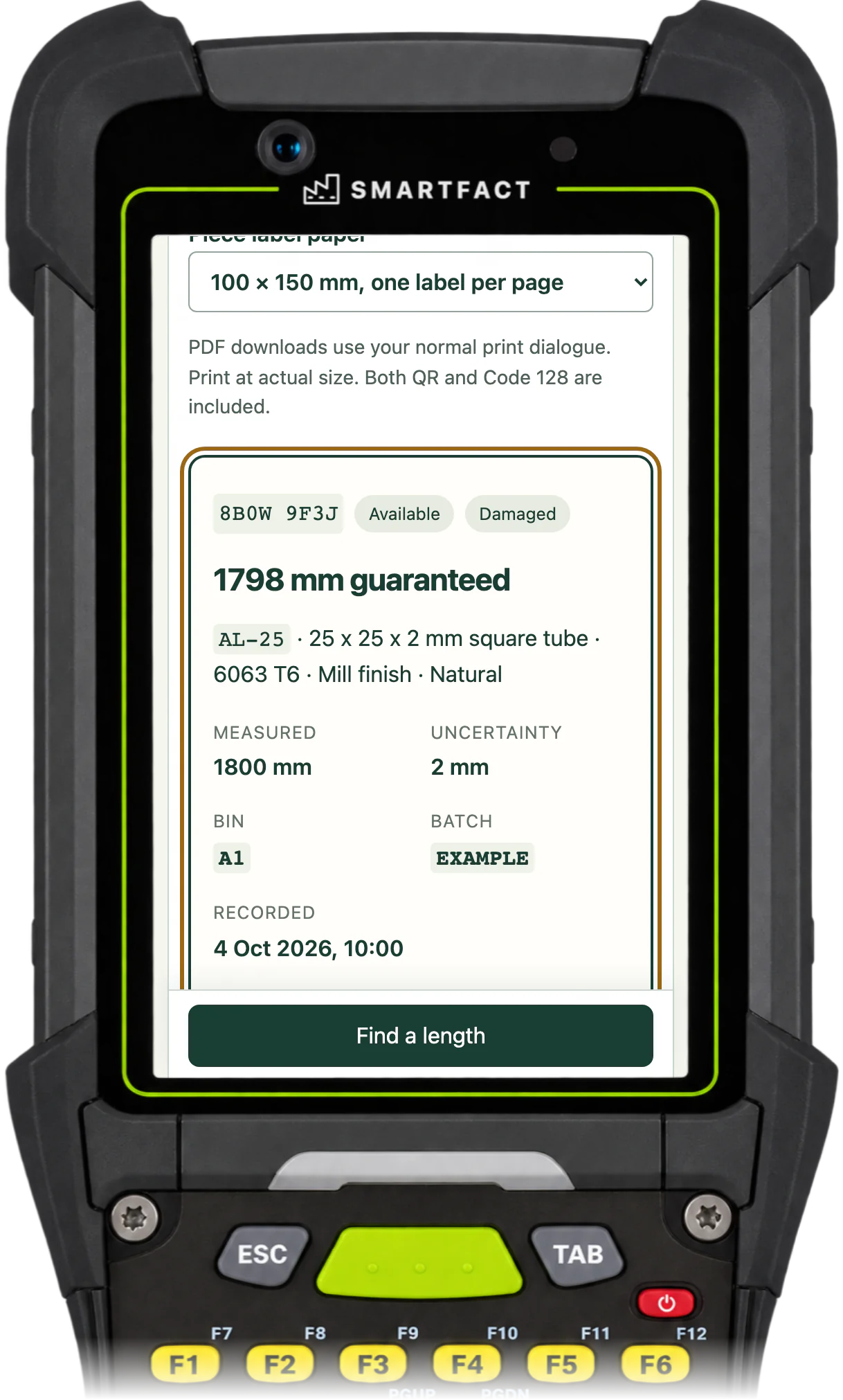
Record them as they are. A damaged or unchecked piece stays on the rack list, and its label says Check before use, but a search never offers it. After you inspect it, record a condition check with a reason; the old condition stays in the piece's history.
A damaged piece stays on the list but is left out of searches.
How do you keep the list safe?
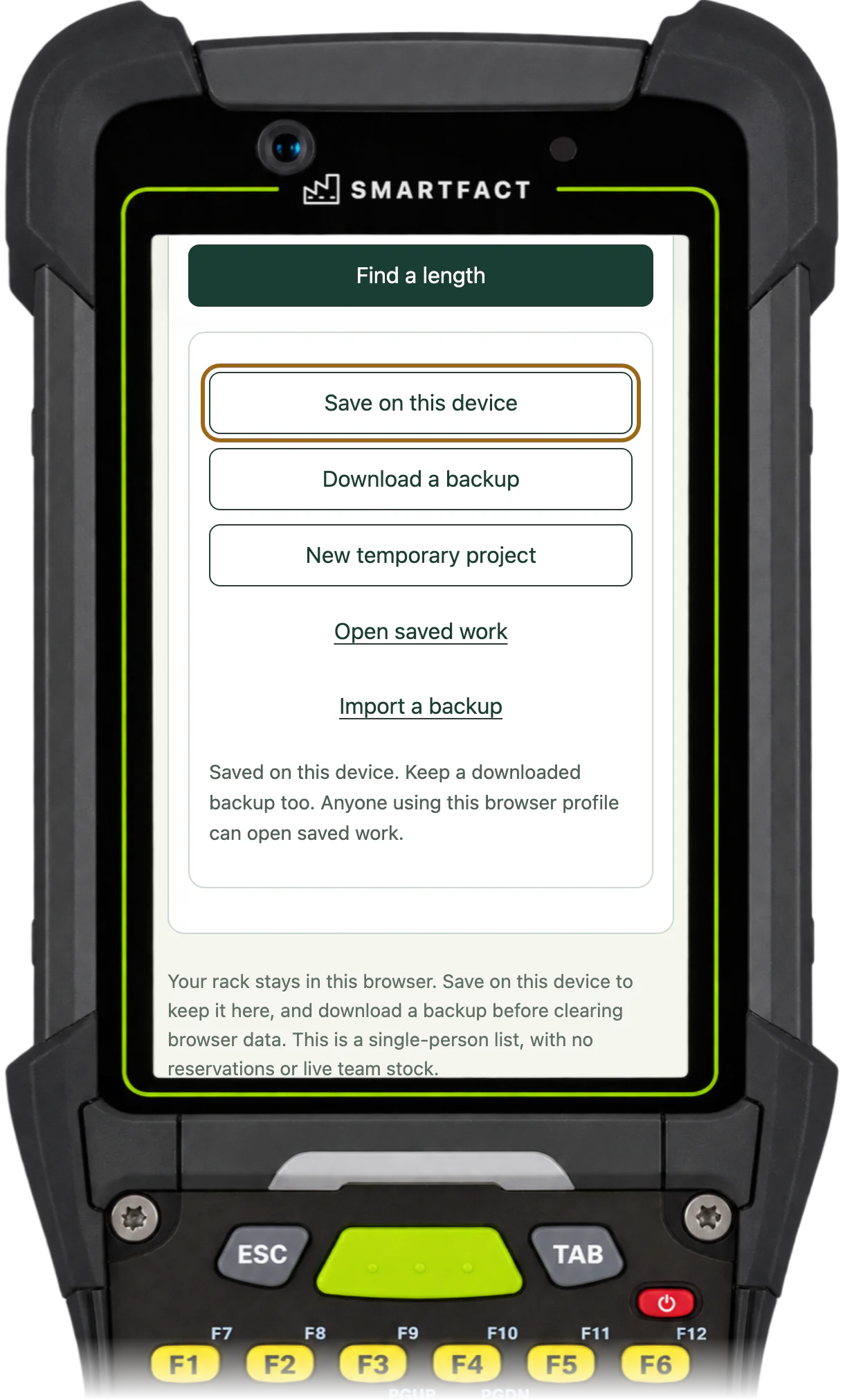
Choose Save on this device to keep the rack in this browser between visits, and download a backup as well: browser storage can be cleared, and the backup holds the whole rack with every piece and its history. Download the available pieces as a CSV, or a rack list PDF, when you need them elsewhere.
The rack saved in this browser, with a backup to download.
What OffcutBench does not do
It is one person's list for one rack. There are no reservations, shared stock or sign-in, so two people working from copies of the list could pick the same piece. It handles straight lengths only, with no sheets, nesting or cutting optimisation, and it does not value stock or order material.
MADE FOR THE FLOOR
For small workshop owners, fabricators and makers who cut bar, tube, extrusion, profile or timber and keep the offcuts on one rack.
A USEFUL STARTING POINT
A rack of offcuts is only useful if you know what is on it
Without a list, every job starts with a walk along the rack and a tape measure, and new stock gets cut because that is quicker. OffcutBench keeps the list for you: each piece's material, guaranteed length, condition and bin, with a label that links the physical piece to its record. It records what you tell it, so measure each piece and update the list as pieces are used.
FROM QUESTION TO EVIDENCE
Three steps to a useful result.
01
Set up the rack
Choose millimetres or inches, set your usual measuring uncertainty and add the materials and bins on your rack.
02
Record and label each piece
Measure each offcut as it goes back, record its material, length, condition and bin, and attach its label.
03
Search before you cut
Enter the material and finished length for the next job and see the pieces that fit, then record how the piece was used.
A CONCRETE EXAMPLE
Seven offcuts, one search
A fabrication shop keeps aluminium tube and steel angle on one rack with six bins. Seven offcuts are recorded, each measured to within 2 mm. A job needs two 600 mm blanks of AL-25 tube. With a 3 mm blade and 10 mm of end trim, the search needs 1216 mm and offers the 1250 mm piece first, 1248 mm guaranteed, with 32 mm spare. The damaged 1800 mm piece is left out until someone checks it.
USED IN PRODUCTION
From one rack to the whole workshop.
OffcutBench keeps one person's list for one rack. When several people cut from shared racks, RemnantRack keeps the offcut register for the whole team. It is in early access, with scope agreed at onboarding.
Early access
RemnantRack
RemnantRack gives every reusable offcut a label, an exact length and a confirmed bin across your racks. Search for the length a job needs, reserve the piece so nobody else takes it, record the cut and label the remainder, with team access and a history for every piece.
For one person and one rack, yes: it keeps the same list, with labels, a length search and a history of each piece. Download the available pieces as a CSV whenever you need them in a spreadsheet. It does not share the list between people or devices.
Which materials does it handle?
Straight lengths of what you cut: bar, tube, extrusion, profile or timber. Each material has an exact code, profile, grade, finish, colour and family. Sheets, panels and irregular shapes are not supported.
How do I start if the rack is already full?
Set up the rack, then record the pieces bin by bin: measure each one, choose its material and bin and print its label. Import the materials and bins from CSV first if you have them in a spreadsheet, so you only enter the pieces.
What are the current limits?
OffcutBench is one person's list for one rack of straight lengths, such as bar, tube, extrusion, profile or timber. There are no sheets or irregular shapes, no nesting or cutting optimisation, no reservations, no shared team stock and no saw control, and a search never reserves or changes a piece. Each search looks for one piece long enough for the whole job. A project holds one rack with up to 100 bins, 500 materials, 2,000 available pieces and 20,000 history records, in a saved file of at most 5 MiB. Lengths run from 1 mm to 60 m. The unit is fixed when the rack is created, and the usual measuring uncertainty is fixed once the first piece is recorded. CSV imports are up to 5 MiB, and one invalid row stops the whole import. The camera reads QR, Code 128, Data Matrix, EAN and UPC barcodes. Labels and reports show what you recorded, not proof that a piece is on the rack.
What happens to my data?
Your rack stays in this browser. Work starts in memory and is lost on refresh until you choose Save on this device or download a backup. Nothing you record, scan or download is uploaded, and camera images are decoded on your device and never stored. No account or contact details are needed. Google Analytics is optional and loads only after you accept; it never receives materials, lengths, label codes, job references or file contents. Use Analytics settings on these pages or in the tool to change your choice; see /privacy/.
ONE SMALL JOB, DONE WELL
Put OffcutBench to work.
Open the free tool and start with one known example.
Practical tools. Useful on their own. Better around the same floor.
Automate factory decisions with rules you describe in plain English. Explore focused SmartFACT services, plus free tools for everyday checks.
Early accessSuggested next step
RemnantRack
Label each offcut, find a suitable length before cutting new stock and record what you used. Approved plain English rules decide what to keep and where it goes.
Bring data in from uploaded sheets or the Shopify, WooCommerce and PrestaShop connectors, check each change and deliver it to the products that use it.
Scan an empty container to send the right refill request to stores. Approved plain English rules set the stores queue, priority, ticket printer and escalation.
Check a shared tool before handover, record who has it and keep damaged or overdue tools out of the next issue. Explore an invited trial for one factory crib.
Receive, put away, reserve and issue stores material with barcode checks, keeping held, reserved and available stock apart. Explore an invited trial for one stockroom.
Follow a lot or serial number through the records your factory already keeps, with the source of each link and the gaps shown. Explore an invited trial with two declared sources.
Step-by-step guides and interactive demonstrations for the SmartFACT suite. Read the instructions, watch a task or practise with real product screens and sample data.

 Early access


